Box Model
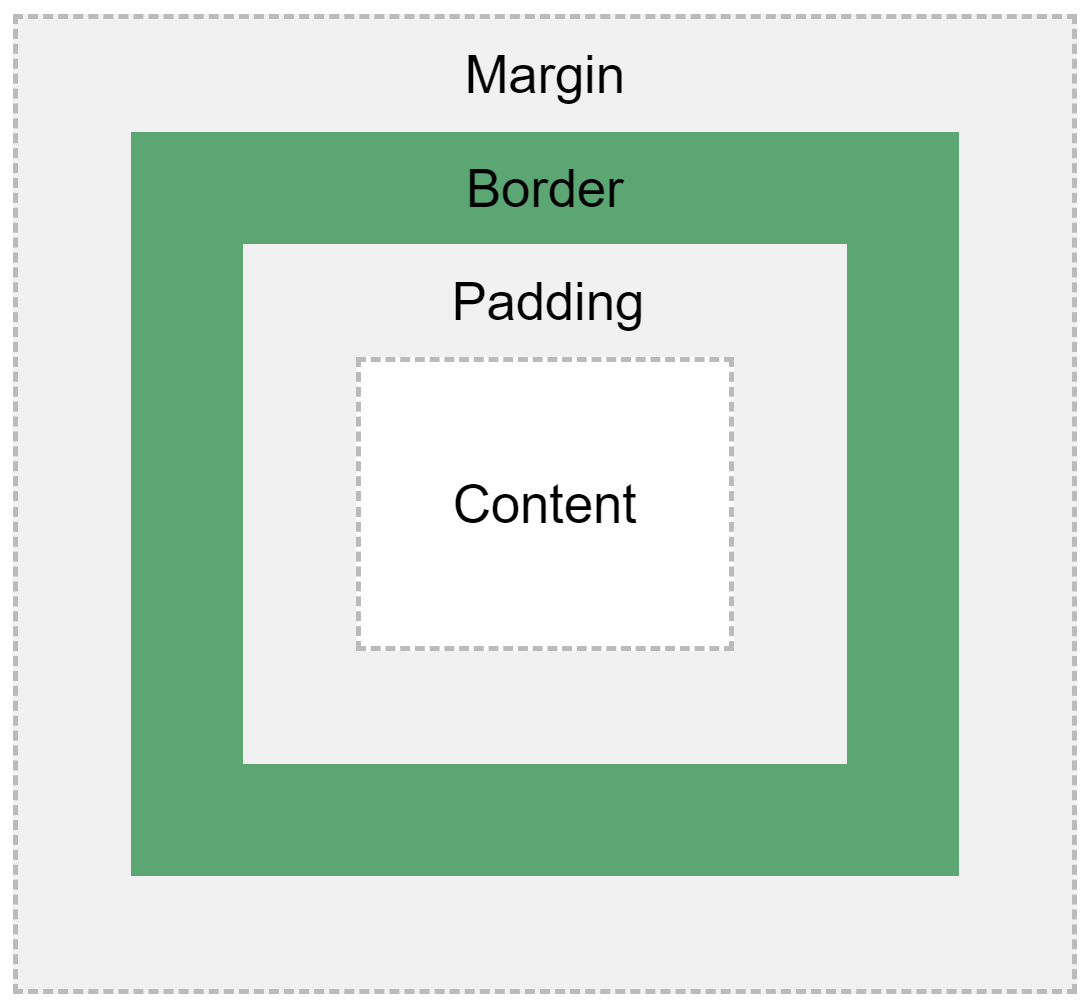
This is an example of the CSS Box Model. You can see that the heirarchy of each CSS attribute.
Starting from the inside, CONTENT is the innermost attribute which makes sense since that is what is inside the element tags.
Moving outward, the next attribute is PADDING which is blank space between the content and the next attribute.
Next, is the BORDER attribute which can have characteristics other than just size. You can specify color and line style (solid, dashed, dotted, etc.)
Finally, between the border and other elements on your screen is the MARGIN attribute. Like the padding attribute, a margin is just blank space.